Digital Binder
Organize drawings, manuals and records in searchable folders for each building.
Building intelligence, from records to action
Know what you have. Find what you need. Keep work moving. Bring your building documents, equipment, maintenance and energy data together in one secure place, with your team connected wherever they work.
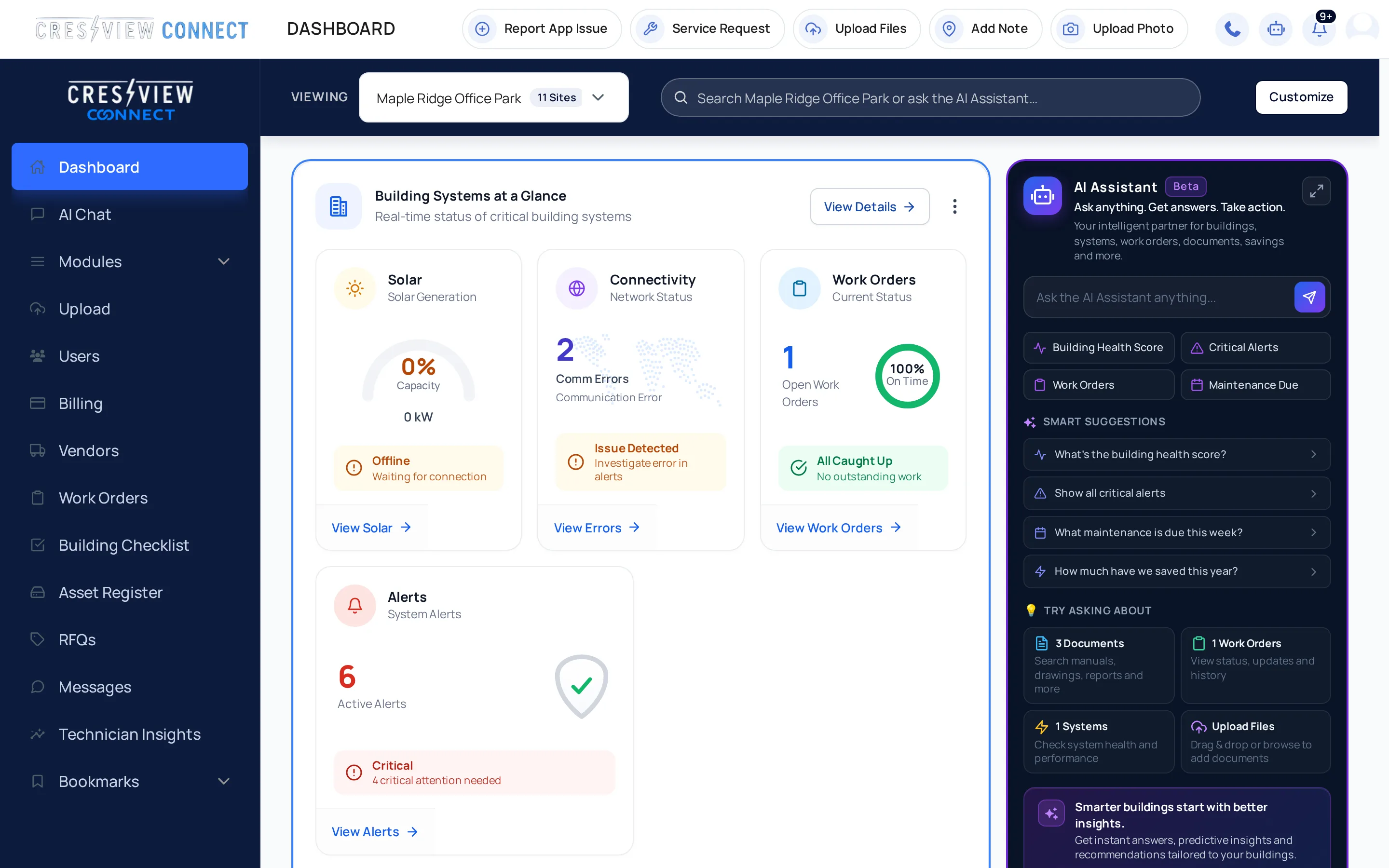
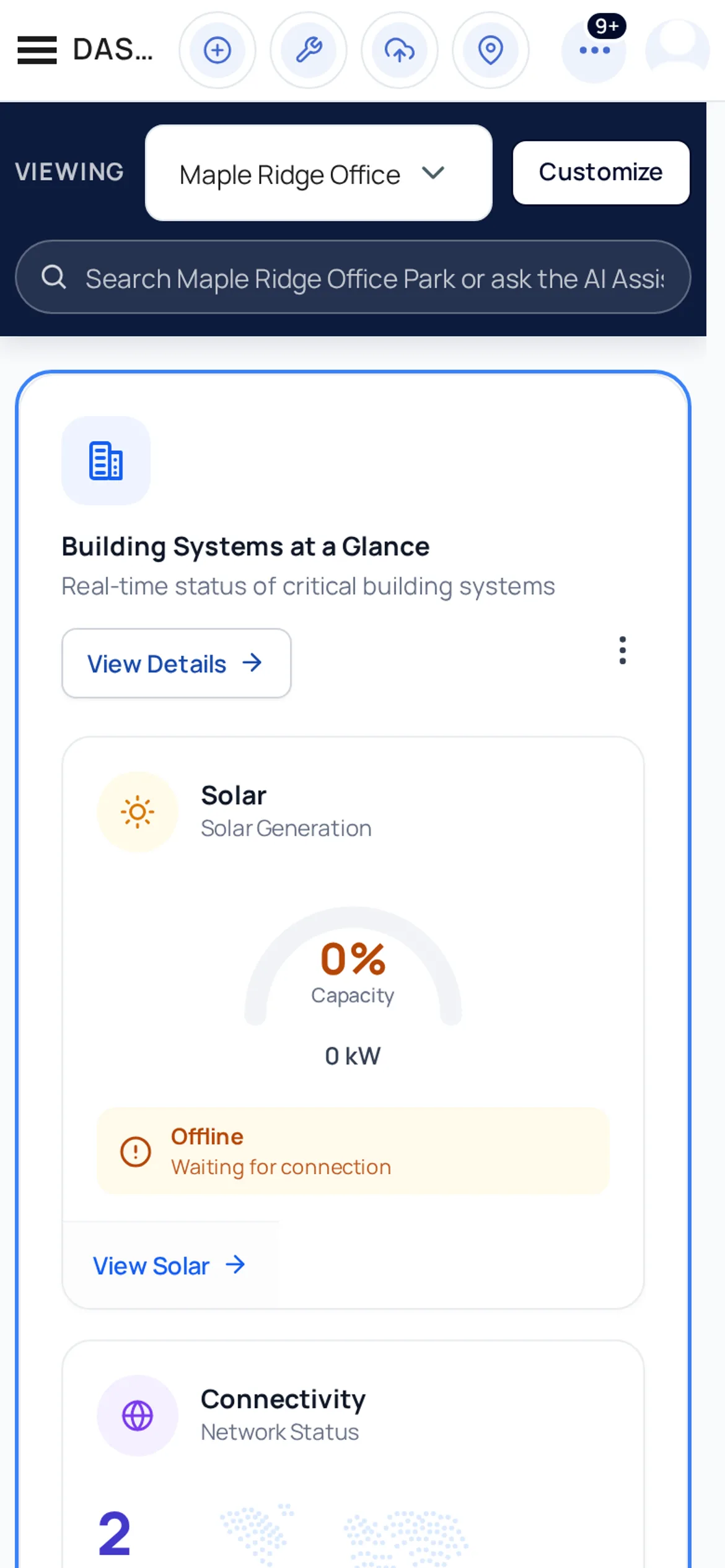
Your buildings. One connected view.
A clearer way to run your buildings
Start with your building records. Connect maintenance, energy and your team as you grow.
Turn scattered records into building knowledge your team can use.
Organize drawings, manuals and records in searchable folders for each building.
Connect your documents to 33 building information items and see what is missing.
See how complete your building records are, with a clear place to start.
Keep equipment photos, warranties, service visits and maintenance together.
Arrange your tiles and search across sites, files, assets, work orders and alerts.
Connect the equipment, the job and the people doing the work.
Send a service request with the right equipment, priority and supporting documents.
Keep job messages and follow-up with the work order.
Ask multiple vendors, compare quotes and award the work as a work order.
See maintenance, work orders and warranty dates, and subscribe from your calendar app.
Review field observations and photos, then turn an observation into a work order.
Bring your connected systems and utility bills into the same picture.
Follow production and solar savings from supported connected systems.
Explore energy use by channel with your EMS integration.
Track electricity, gas, water and peak demand, with bills read from your Utilities folder.
Share building and energy information as PDF or CSV reports.
Receive email and SMS alerts for your enabled monitoring modules.
Ask questions about your buildings, grounded in your records and live data. Available as an add-on.
Ask about binder files, including scanned PDFs and drawings.
Locate records or create fillable checklists and inspection PDFs for your binder.
Review proposed asset entries and maintenance schedules based on your documents.
Review a proposed service request before it is opened.
Give people access to the buildings and information they need, wherever they work.
Talk with Crestview per building, or use a private thread for your own team.
Invite colleagues, assign roles and choose the buildings each person can see.
Take Connect into the field, with camera and photo attachments.
Manage your subscription and find your receipts in Connect.
Features depend on your enabled modules and connected systems. AI Assistant is an optional add-on.
The daily picture
Make the dashboard your own with tiles you can move, hide and resize. Switch buildings or search across your records to get to what matters.
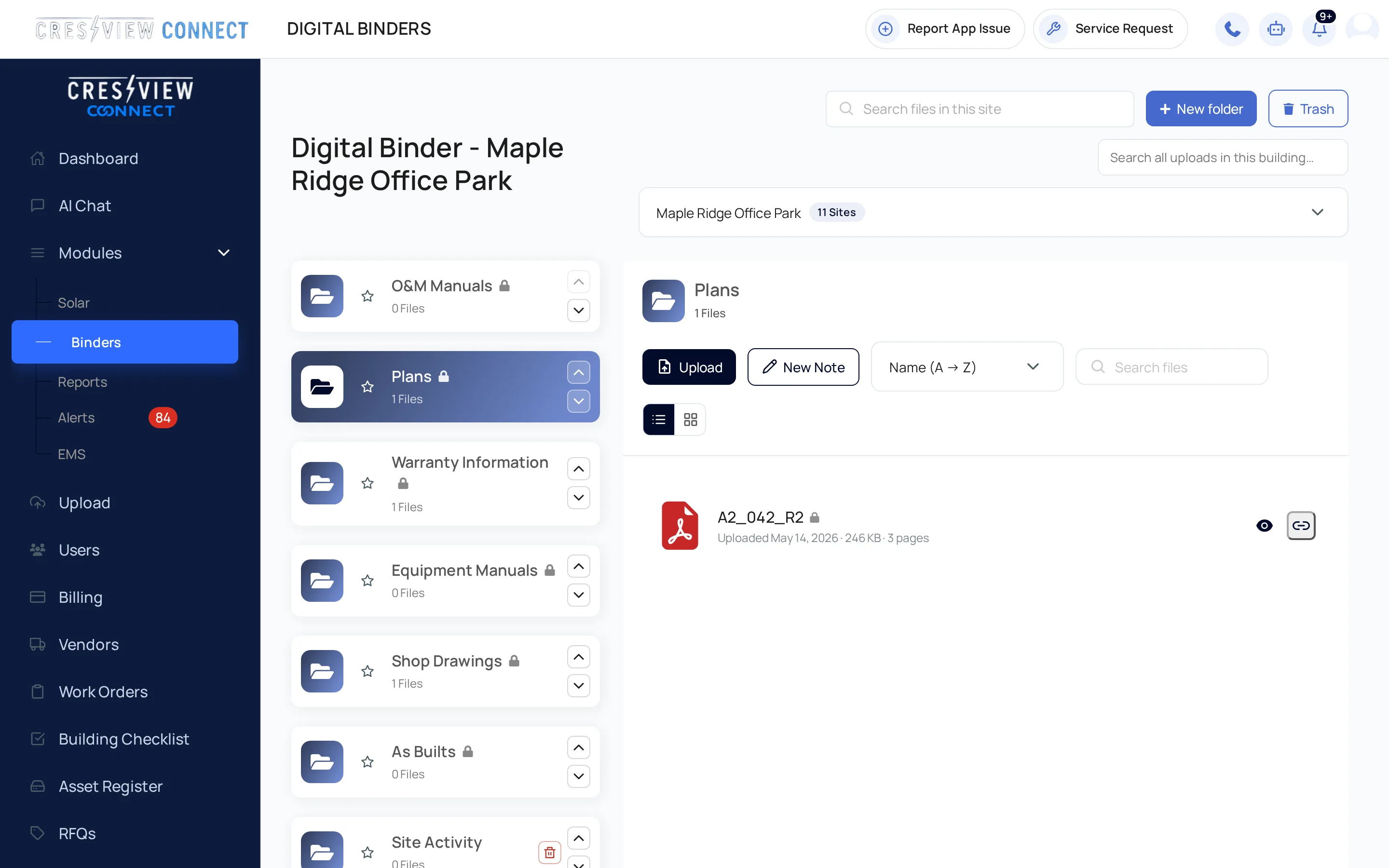
Digital Binder
Keep drawings, manuals, warranties and other records with the building they belong to. Search every folder and open documents in Connect.
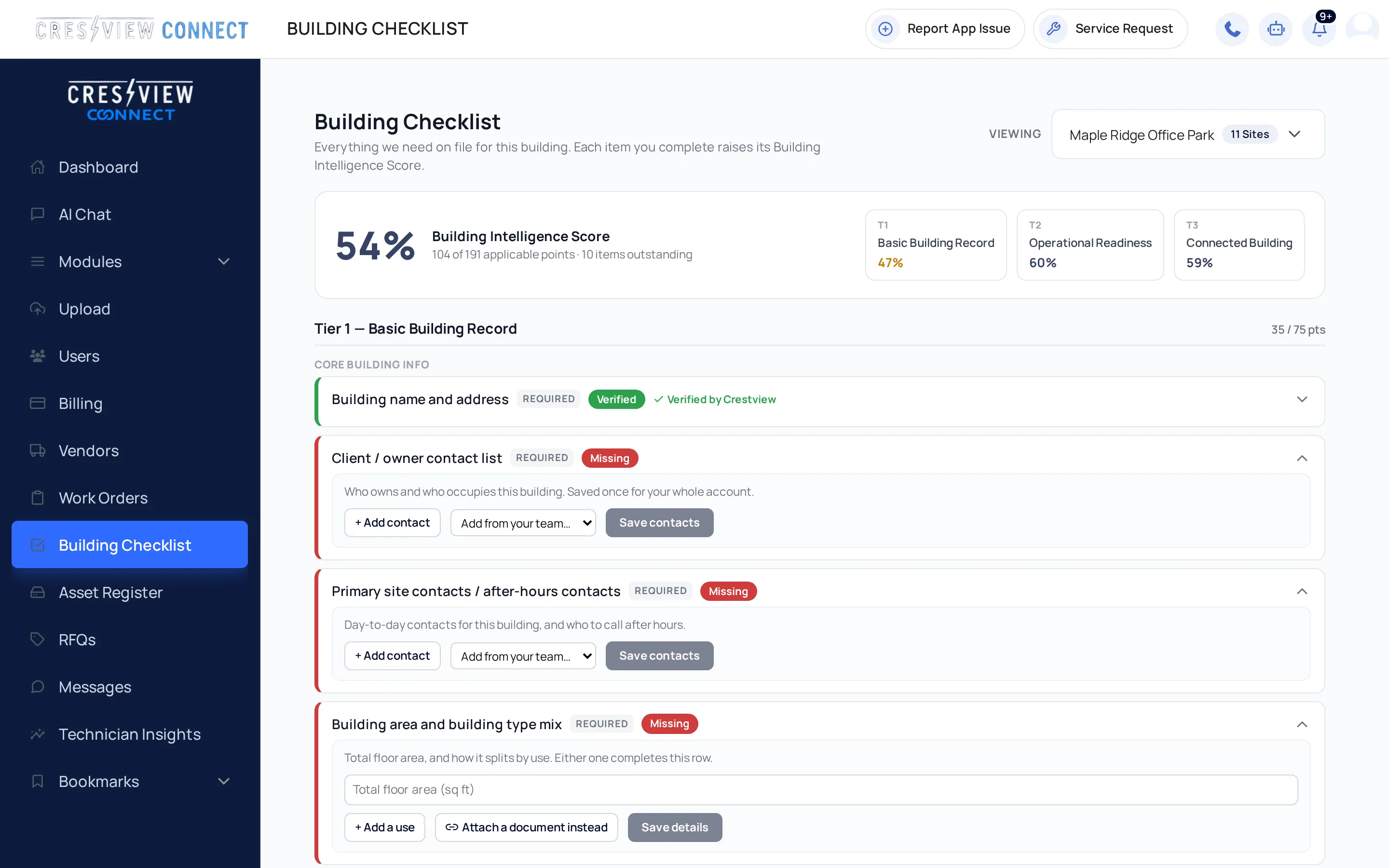
Building Checklist
Bring key building facts, contacts and documents into a 33-item checklist. The Building Intelligence Score shows how complete the records are, so your team can fill the gaps.
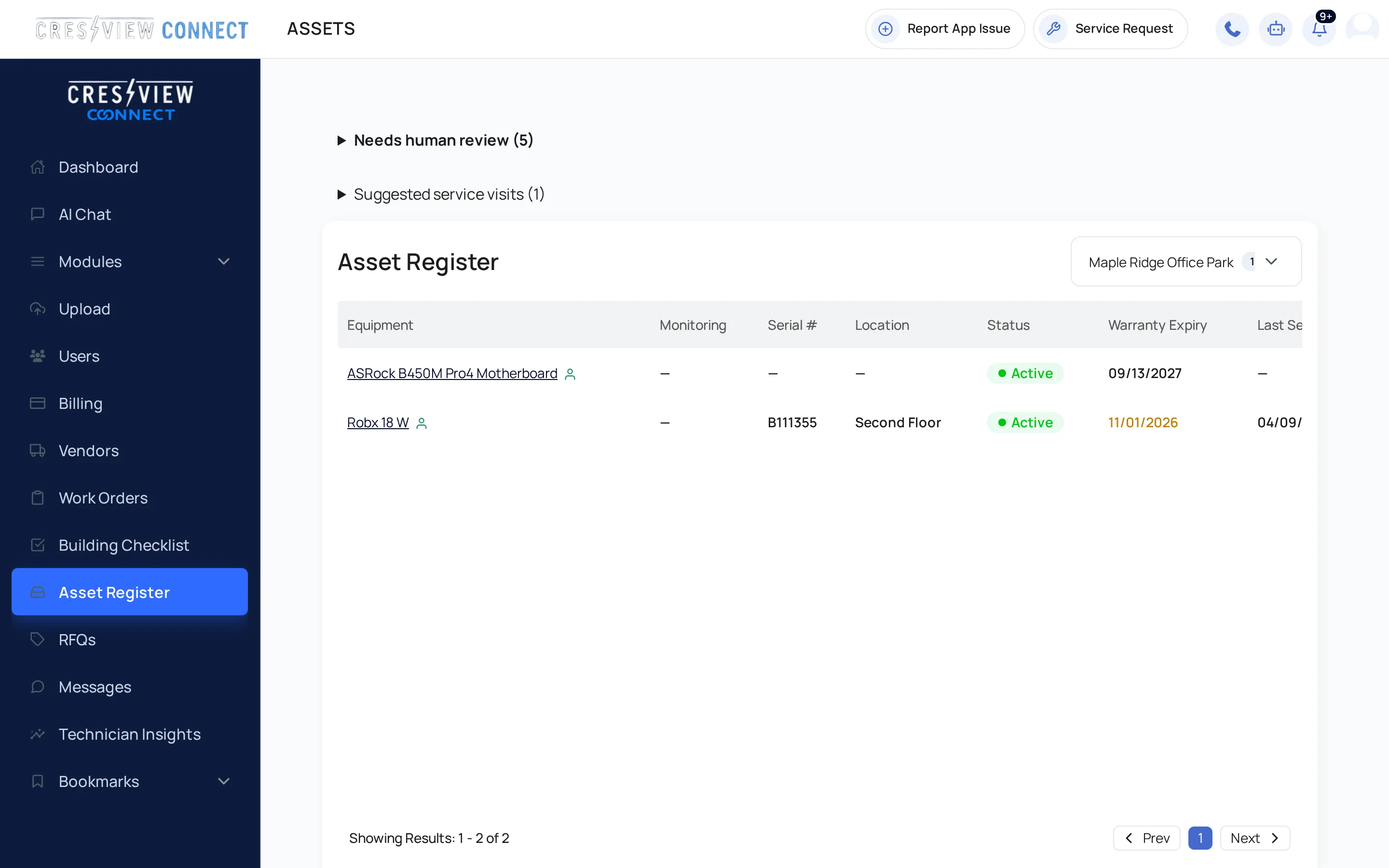
Asset Register
Keep equipment information, photos and warranties with its service visits and maintenance. Review asset entries proposed from your documents instead of starting every record from scratch.
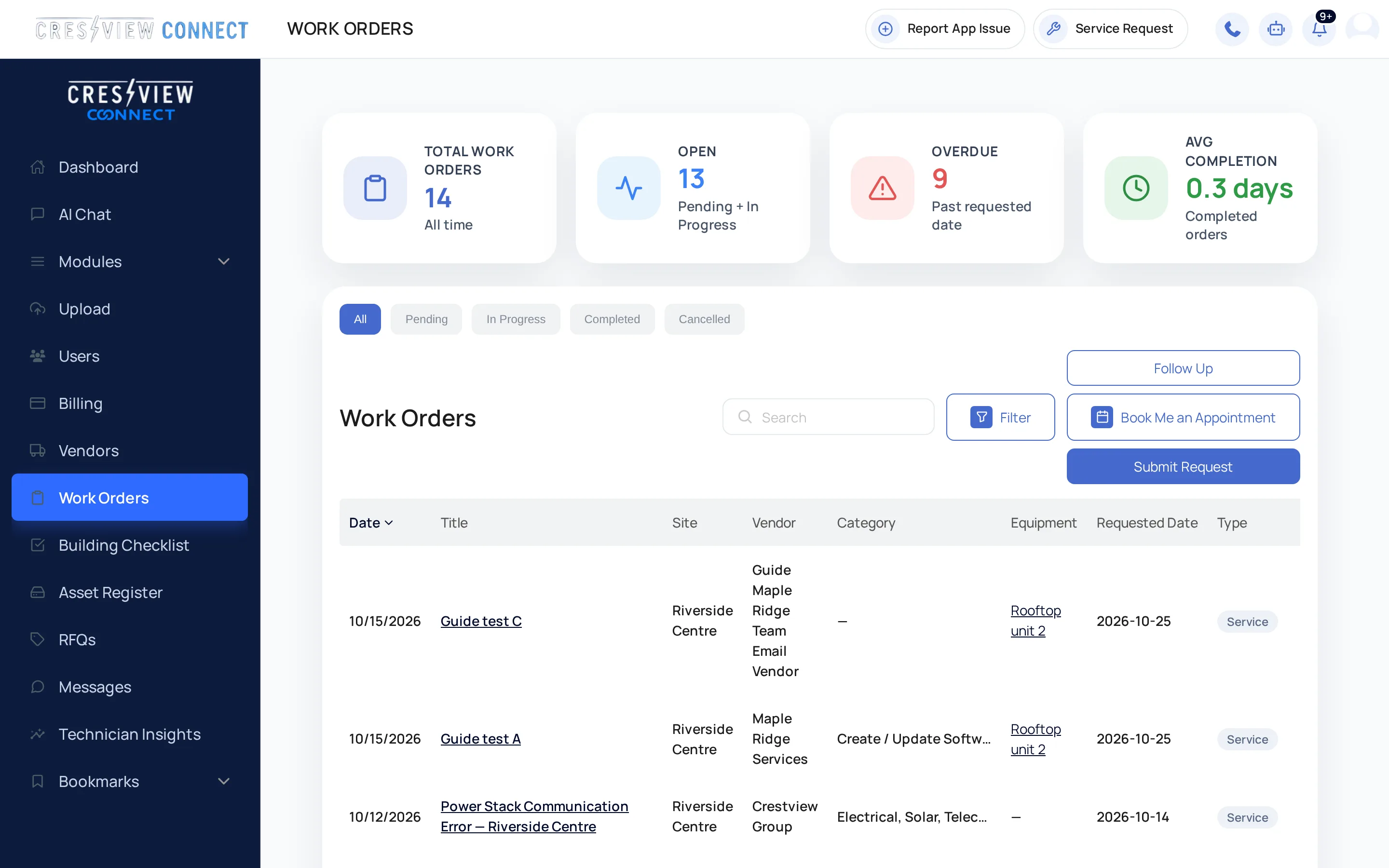
Work Orders and RFQs
Put the equipment, supporting files and vendor conversation with each work order. When you need quotes, invite multiple vendors, compare their responses and award the job.
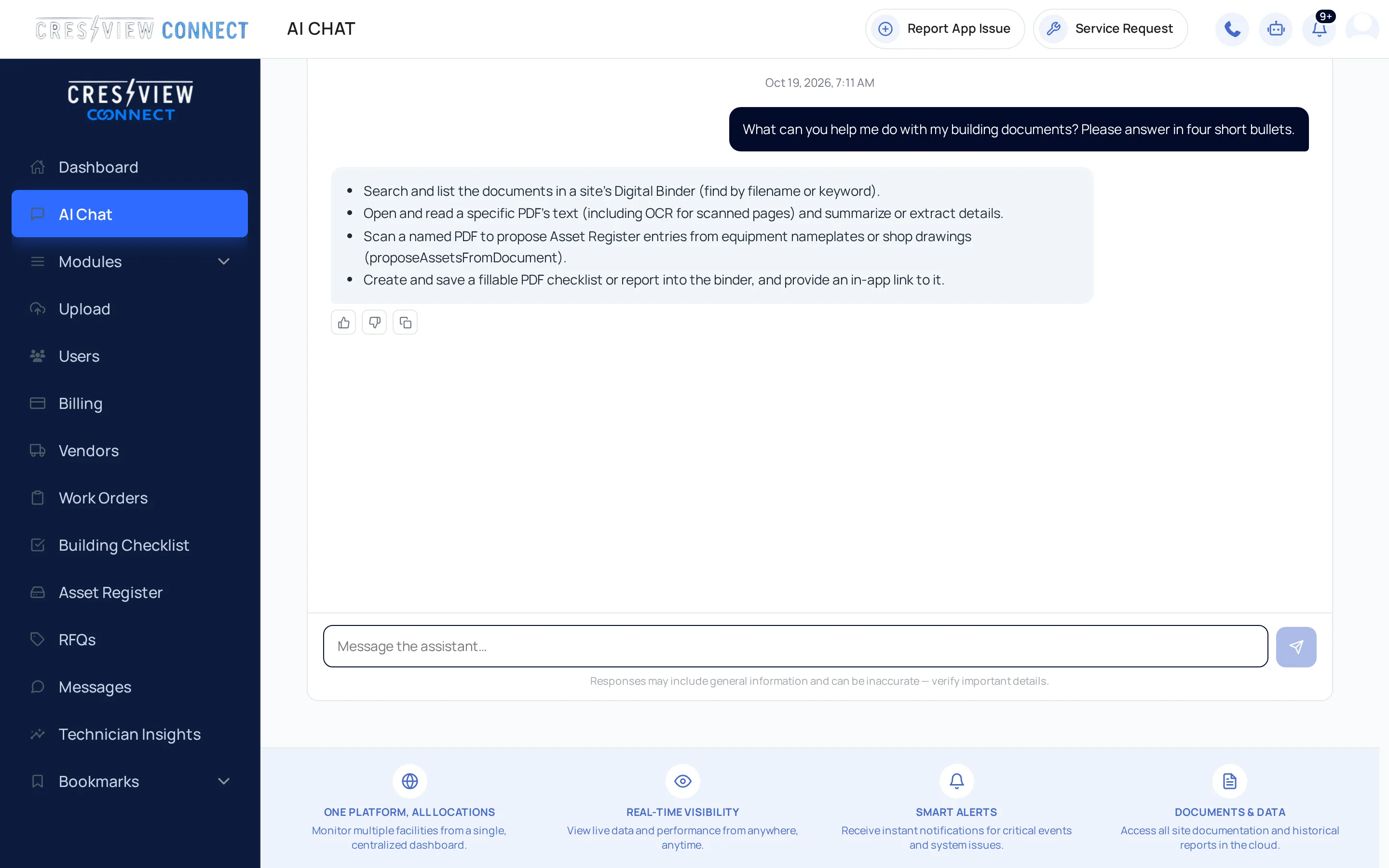
AI Assistant
Ask a question in your own words. Bring your documents and live building information into the conversation, then review the next step before taking action.
Available as an add-on. Features depend on your connected data and enabled modules.
One Platform. Complete Visibility.
Bring documents, drawings, warranties, service records and connected monitoring into the same building view. Give your team access to the right buildings, keep conversations with the work and take the details with you on iOS and Android.
Explore the Platform
Get started
Set up your company and the buildings your team looks after.
Bring drawings, manuals and records into each building's Digital Binder.
Choose roles and building access so the right people can get to work.
Built for Every Building. Designed for Every User.

Your buildings, documents and work orders, on your phone or tablet.


Apple and the Apple logo are trademarks of Apple Inc. App Store is a service mark of Apple Inc. Google Play and the Google Play logo are trademarks of Google LLC.